The Amulet Outline Icons Set: Evaluating a Minimalist Design Toolkit
In the crowded landscape of digital design resources, icon sets serve as fundamental building blocks. Among these, the Amulet Outline Icons collection presents itself as a specific solution aimed at projects requiring clarity and simplicity. This set of high-quality icons is marketed as suitable for any project, promising to change your next endeavors with its minimalist design. Understanding what this package offers, and where it fits within a broader spectrum of alternatives, requires a practical evaluation of its features, inherent tradeoffs, and the situations where it might be the optimal choice.
Defining the Amulet Outline Icons Approach
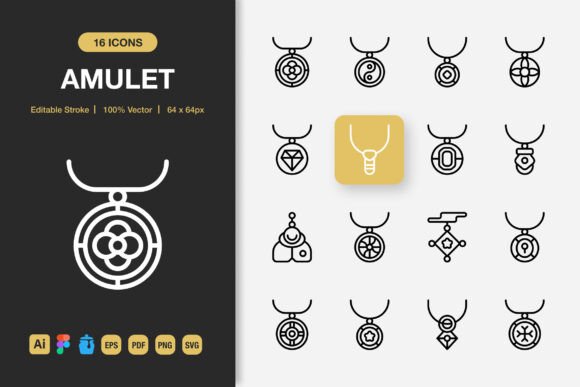
Amulet Outline Icons is, fundamentally, a curated library of vector-based graphic symbols. Its defining characteristic is an outlined, minimalist style. This means icons are typically composed of clean lines and shapes without filled colors or complex textures, focusing on essential forms. The claim of suitability for "any project"—from websites and mobile apps to print media like books, flyers, and posters—hinges on this stylistic neutrality and the technical versatility provided by the included file formats.
What makes Amulet Outline Icons distinct from many generic free packs is the comprehensive delivery of editable source files. The inclusion of Adobe Illustrator source files, Figma files, and IconJar files speaks directly to professional workflow integration. These are not just static PNGs; they are assets intended for modification and systematic use within established design environments. The additional provision of EPS, SVG, JPG, and PNG with transparency covers a wide range of export and implementation needs, from web development to print production.
Core Features and Practical Implications
The listed features—Editable Stroke, High Quality, 100 Customizable Icons, Easy Drag and Drop—each carry practical weight for a user evaluating this set against other options.
The Editable Stroke feature is particularly significant. It allows designers to adjust the line weight and profile of the icons, enabling fine-tuning to match specific brand guidelines or visual hierarchies within a layout. This level of control is often absent in simpler, free icon sets where icons are delivered as fixed raster images or non-editable vector paths.
High Quality implies vector scalability without loss of detail, a prerequisite for professional use across different media resolutions. The promise of 100 Customizable icons offers a solid starting volume for a project, though it is a mid-range quantity compared to massive libraries of thousands of icons or very niche packs of only a dozen. The "Easy Drag and Drop" and bundled IconJar file suggest an emphasis on user convenience, aiming to reduce the time spent importing and organizing assets.
The breadth of file formats (Illustrator, Figma, EPS, SVG, PNG, JPG) is a strong point. It means that whether a designer's primary tool is a vector editor like Illustrator, a UI/UX platform like Figma, or a coding environment requiring SVG and PNG, the Amulet Outline Icons set can be directly utilized. This multi-format approach compares favorably to sets that lock users into one specific format, creating potential conversion headaches.
Evaluating Fit: When Amulet Outline Icons Is the Right Choice
The decision to use Amulet Outline Icons hinges on project requirements and designer priorities. This set appears to be a strong fit for several scenarios.
For projects demanding a cohesive, clean aesthetic—such as a modern tech startup's website, a minimalist mobile app interface, or an academic infographic—the outlined style provides immediate visual harmony. Its neutrality allows it to complement content without overpowering it. Similarly, for designers or small teams operating across multiple platforms and output types (digital and print), the included file formats remove a significant technical barrier, facilitating a consistent visual language across banners, social media, and flyers.
Another best-fit situation is for users who value customization within a controlled framework. The editable strokes and vector source files mean the icons can be adapted to align perfectly with an existing design system's line styles or color schemes (by filling the outlines), rather than forcing the system to conform to a rigid icon set. This is a notable advantage over many pre-styled, non-editable collections.
Tradeoffs and Potential Limitations
Every design resource involves tradeoffs. The minimalist outline style of Amulet Outline Icons, while versatile, may itself be a limitation for projects requiring a different visual tone. Brands seeking a bold, filled-color iconography, a hand-drawn sketch style, or highly detailed pictorial symbols would find this set mismatched. It serves a specific aesthetic niche.
While "100 Customizable Icons" is a substantial number, it is not exhaustive. A large-scale project, like a comprehensive enterprise software suite with hundreds of unique interface actions, might quickly exhaust the library, requiring supplementation from another set or custom icon creation. The user must evaluate if the included icons cover the core functionalities of their project.
Furthermore, the focus on outline design can sometimes present legibility challenges at very small sizes or on complex backgrounds, where a filled icon might provide stronger contrast. Designers implementing these icons must consider context and test usability accordingly.
Comparing to the Wider Landscape of Icon Resources
When exploring alternatives, designers typically encounter a spectrum ranging from free, open-source icon libraries to premium, highly specialized sets and full custom illustration services.
Amulet Outline Icons sits in a middle ground. Compared to vast free libraries (often offering thousands of icons), it offers more curated consistency and guaranteed quality control, but a smaller immediate volume. Compared to ultra-premium, niche sets, it offers broader format support and stylistic flexibility (via editing) at a likely lower cost point, but perhaps less exclusive or trend-leading design.
The key comparative advantage of Amulet Outline Icons is its packaged readiness for professional workflow. The simultaneous delivery of Figma, Illustrator, and development-ready files (SVG/PNG) is less common in free sets and sometimes even in paid ones. This reduces the "preparation labor" for the designer, a factor worth considering against the raw cost of the asset.
Decision Factors for the Informed Designer
Choosing whether Amulet Outline Icons is the right resource involves weighing a few concrete factors.
- Project Scale and Scope: Does the project's icon needs likely fall within or exceed the 100-icon baseline? Is the visual theme aligned with minimalist outlines?
- Toolchain and Format Needs: Does your team use Figma, Illustrator, or require specific SVG attributes? The multi-format inclusion is a major benefit if your workflow spans these tools.
- Customization Requirement: How important is it to tweak line weights or integrate these icons into a tightly defined visual system? The editable source files cater directly to this need.
- Budget vs. Time Tradeoff: While there may be free alternatives, the time saved in sourcing, converting, and ensuring quality consistency from disparate free packs can offset the cost of a ready-packaged set like Amulet Outline Icons.
Realistic Applications and Final Considerations
In practice, the Amulet Outline Icons set could effectively serve a UI/UX designer prototyping a new app in Figma, using the drag-and-drop convenience to build interfaces rapidly. A marketing designer creating a coordinated campaign—with social media graphics (using PNGs), a printed brochure (using EPS/JPG), and a web banner (using SVG)—could maintain perfect asset consistency across all formats from one source.
Conversely, a designer working on a children's educational book with a vibrant, colorful aesthetic might find the outline style too austere. A developer building a complex data dashboard needing hundreds of unique, highly specific data visualization icons might require a more extensive or specialized library.
Ultimately, Amulet Outline Icons presents a specific value proposition: a quality-assured, minimalist icon toolkit with exceptional format versatility and built-in editing capacity. Its strengths are clear in contexts that match its style and appreciate its workflow integration. By carefully considering the project's aesthetic requirements, technical needs, and scale against the set's offerings and inherent tradeoffs, designers can make an informed decision on whether this collection is the right foundation for their next project.