Evaluating Automation Icons: A Set for Practical Digital Projects
When searching for a versatile icon set, you’ll encounter countless options, each promising simplicity and breadth. Automation Icons is a specific collection of high-quality icons designed for a wide range of applications, from websites and mobile apps to print materials like posters and flyers. Its distinct proposition lies not just in its visual style, but in the practical bundle of formats and features it includes, which can significantly impact workflow efficiency for designers and developers.
What Defines Automation Icons
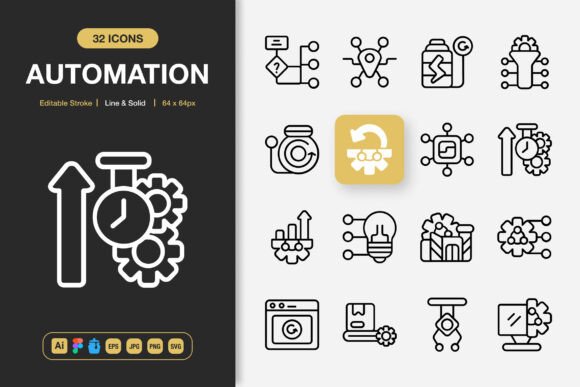
Automation Icons presents itself as a minimalist icon design library. The term “minimalist” here often refers to a clean, uncluttered aesthetic that prioritizes clarity and function. The set includes both line and solid styles, offering visual flexibility for different contexts—a line icon might suit a sleek interface, while a solid version could provide stronger emphasis. A key feature is the editable stroke, allowing users to adjust line weights within supporting software, which adds a layer of customization without starting from scratch.
Perhaps more consequential than the design itself is the bundled delivery. Automation Icons comes with multiple file types: the source Adobe Illustrator file, a Figma file, an IconJar file, EPS, SVG, PNG, and JPG. This multi-format approach addresses a common pain point in projects—having to convert or recreate icons for different tools or output mediums. The inclusion of a readme file suggests a focus on usability, guiding implementation.
Comparing the Bundle to Common Alternatives
When evaluating icon sets, you typically weigh style, scope, format, and cost. Many collections are sold as single-style packs (only outline or only filled) or in limited formats (perhaps just PNG and SVG). Others are tied to subscription services offering access to thousands of icons across many categories. Automation Icons sits as a fixed, purchased set with a specific aesthetic and a notably complete file bundle.
Strengths in Practical Workflow
The strength of Automation Icons is its project-ready completeness. For a designer who uses Figma for prototyping, Illustrator for asset creation, and needs PNGs for final development, having native files for each stage removes conversion steps. The “easy drag and drop” claim and IconJar format (a dedicated icon management app) cater specifically to speed and organization. This can be a significant advantage over sets that provide only generic SVGs, requiring extra work to adapt to your specific toolchain.
Tradeoffs and Limitations
A natural tradeoff with any fixed set is scope. While Automation Icons offers 100 customizable icons, its thematic focus on “automation” implies a specific content range—likely icons representing processes, technology, mechanics, and control. This is excellent for projects related to SaaS, productivity, manufacturing, or analytics. However, for a project needing diverse icons for healthcare, education, or retail, this set alone may be insufficient. You might need to complement it with another collection, which complicates the goal of a unified visual language.
Additionally, “minimalist design” is subjective. If your brand or project requires highly detailed, illustrative, or playful icons, the minimalist approach of Automation Icons might feel restrictive, even with the solid style option. It’s crucial to review the actual visual design to see if its particular interpretation of minimalism aligns with your needs.
Determining the Best Fit for Your Project
Choosing an icon set is less about finding the “best” one and more about matching a resource’s characteristics to your project’s constraints and goals.
When Automation Icons May Be the Right Choice
Automation Icons fits well in several scenarios. If you are developing a single project with a technology or process-oriented theme, the 100 icons could cover your core needs. Teams using a mix of design tools (like Illustrator and Figma) will benefit from the included source files, reducing friction in handoffs. For rapid prototyping or projects with tight deadlines, the drag-and-drop convenience and multiple ready-to-use formats can save valuable hours. It’s also a pragmatic choice for freelancers or small studios needing a reliable, one-time purchase asset without ongoing subscription costs.
Consider a practical example: building a dashboard for a project management tool. You need icons for tasks, schedules, reports, notifications, and settings. Automation Icons, given its theme, likely includes relevant symbols. Using the Figma file, you can rapidly place icons in your mockup. Later, handing the SVG and PNG files to a developer ensures consistent implementation. The editable stroke lets you fine-tune the line weight to match your interface’s exact aesthetic.
When You Might Need Another Option
If your project requires a vast number of icons across unrelated categories—say, for a general-purpose mobile app with dozens of diverse functions—a larger, more eclectic library or a subscription service offering thousands of icons might be more appropriate, even if it means dealing with fewer native file formats per icon. Similarly, if your organization’s design workflow is standardized on a single tool not covered by this bundle (for instance, exclusively using Sketch), the value of the multi-format bundle diminishes, and you might prioritize a set with perfect Sketch integration.
Budget models also influence decisions. Automation Icons is a one-time purchase. For ongoing work across many varied projects, a subscription that continuously provides new icons and styles might offer better long-term value, despite recurring costs. Conversely, for a one-off project, a fixed purchase like Automation Icons avoids recurring fees.
Key Decision Factors Beyond Style
Making an informed choice involves looking past the initial appeal of “high quality” and “minimalist design.”
- Tool Compatibility: Audit your team’s primary design and development tools. The inclusion of Figma, Illustrator, and IconJar files is a major advantage only if those tools are in your stack.
- Content Scope: Carefully review the actual 100 icons provided. Do they cover the specific actions, objects, and concepts your project needs to communicate? A list of file formats is useless if the icon content isn’t relevant.
- Customization Depth: “Customizable” can mean different things. Editable stroke is a useful level of customization, but check if color, shape, and composition are also easily modifiable in the source files to meet your branding requirements.
- Output Requirements: If your project outputs include print (flyers, banners) and digital (web, app), the simultaneous provision of vector EPS for print and scalable SVG for web is efficient. Projects confined to digital screens might not need the EPS format.
Ultimately, Automation Icons represents a balanced offering: a focused stylistic theme coupled with exceptional practical utility in its file bundle. Its value is maximized when the project theme aligns with its content, and the team’s workflow aligns with its provided formats. For broader thematic needs or highly specialized toolchains, exploring alternatives remains a sensible step. By weighing these factors against your specific scenario, you can determine if this set is a resource that genuinely changes your next project, or simply a component in a larger toolkit.